
Your power strip keeps turning off because it’s likely overloaded, experiencing a short circuit, or the surge protector function has been triggered due to a power surge. Fixing this often involves a few simple checks and adjustments.
It’s a common and frustrating problem: you plug in a few devices, and suddenly, your power strip goes dark. Why does your power strip keep turning off? There are several reasons, ranging from simple overloads to more complex electrical issues. This guide will help you diagnose the problem and find the right fixes to get your electronics powered up safely and reliably.
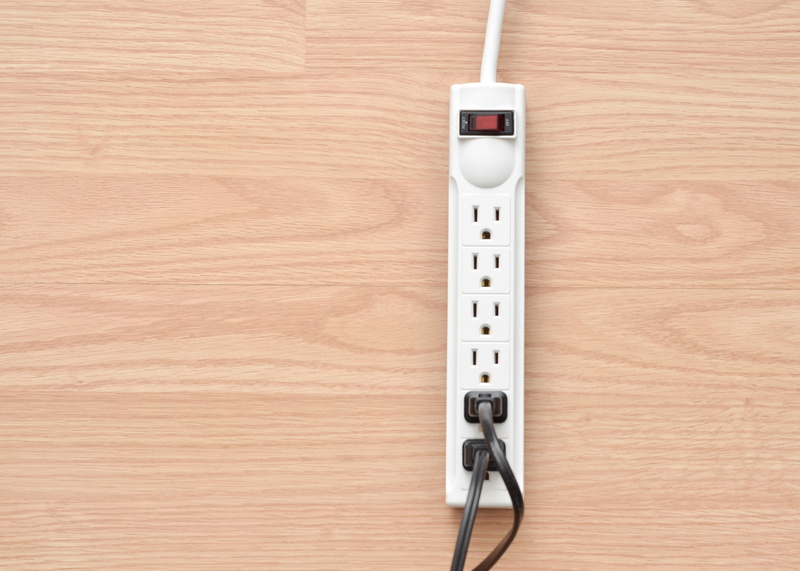
Image Source: www.daltonphc.com
Pinpointing the Culprit: Common Causes for a Tripping Power Strip
Several factors can cause a power strip to suddenly shut down. Most modern power strips have built-in safety features to prevent damage to your electronics and your home’s wiring. When these features activate, they effectively turn off the power to the connected devices.
1. The Overload Protection Kick-In
This is perhaps the most frequent reason your power strip might be turning off. Power strips have a limit on how much electricity they can safely handle.
What is an Overload Protection?
Overload protection is a safety mechanism designed to prevent a power strip or an electrical circuit from being damaged by drawing too much power. When the total wattage of the devices plugged into the power strip exceeds its rated capacity, the overload protection will trip, cutting off the power supply. This prevents the power strip’s internal components from overheating and potentially causing a fire.
Common Signs of an Overload:
- Multiple high-wattage devices: Plugging in items like space heaters, hair dryers, microwaves, or vacuum cleaners simultaneously can quickly exceed the power strip’s limit.
- “Surge Protector” lights off: If your power strip has an indicator light for surge protection, and it goes out when the strip shuts off, it often signifies an overload or a triggered surge protection.
- Warm to the touch: A power strip that feels unusually warm to the touch, especially after being unplugged, could indicate it’s struggling to handle the load.
How to Address an Overloaded Power Strip:
- Unplug Devices: Immediately unplug all devices from the power strip.
- Identify High-Draw Appliances: Consider the wattage of each device you were using. High-wattage appliances draw significantly more power.
- Distribute the Load: Plug high-wattage appliances into separate outlets or different power strips, ideally on different circuits.
- Check Power Strip Rating: Most power strips have a maximum wattage rating printed on them. Ensure the total wattage of your connected devices does not exceed this limit. You can usually find the wattage on a label on the device itself or in its manual.
2. A Tripping Circuit Breaker
Sometimes, the issue isn’t directly with the power strip but with the circuit breaker in your home’s electrical panel that the power strip is plugged into.
What is a Tripping Breaker?
A tripping breaker (or circuit breaker) is a safety device in your home’s electrical system that automatically interrupts the flow of electricity when it detects an overcurrent. An overcurrent can be caused by an overload (too many devices on one circuit) or a short circuit (a fault where electricity takes an unintended path). When a breaker trips, it usually moves to an “off” or a middle position.
How to Troubleshoot a Tripping Breaker:
- Locate Your Electrical Panel: This is typically in a basement, garage, utility closet, or hallway.
- Identify the Tripped Breaker: Look for a breaker switch that is in the “off” position or a position between “on” and “off.” They are often clearly labeled by room or area.
- Reset the Breaker: Firmly push the breaker switch to the “off” position, and then back to the “on” position.
- Test Again Cautiously: Plug a single, low-power device into the power strip and see if it works. If it does, gradually plug in other devices, checking the power strip after each addition. If the breaker trips again immediately, it points to a more serious problem with the circuit or the devices themselves.
Important Note: If a breaker trips repeatedly, do not keep resetting it. This indicates a persistent electrical problem that requires professional attention from an electrician.
3. The Faulty Surge Protector Scenario
Power strips often incorporate surge protection to shield your electronics from sudden spikes in voltage. However, this protection isn’t infinite.
What is a Faulty Surge Protector?
A faulty surge protector is a power strip whose surge suppression components have been damaged or worn out, often due to absorbing multiple power surges. When a surge protector “sacrifices” itself to protect your devices, its surge-suppressing capability is often compromised or entirely eliminated, and the power strip might stop working altogether or intermittently.
Signs a Surge Protector Might Be Faulty:
- Indicator lights are off: Many surge protectors have a light indicating that surge protection is active. If this light is off, the surge protection is likely no longer functional, even if the power strip still supplies power.
- No power at all: If the power strip simply stops working and no devices receive power, the surge protector may have failed completely.
- Intermittent power: Devices connected might sporadically lose power or flicker.
What to Do with a Faulty Surge Protector:
- Replace it: Once a surge protector’s protective capabilities are compromised, it’s best to replace the entire unit. It may still pass electricity, but it no longer offers protection against damaging surges.
- Don’t rely on it: Even if it seems to work, don’t trust a surge protector that has likely experienced a surge event.
4. The Elusive Loose Connection
A seemingly minor issue like a loose connection can cause intermittent power.
What Constitutes a Loose Connection?
A loose connection can occur in several places:
- The power strip’s internal wiring: Over time, vibrations or wear and tear can loosen wires inside the power strip.
- The plug in the wall outlet: If the power strip’s plug isn’t firmly seated in the wall socket, it can lead to intermittent power.
- The connection between the power strip and the device cord: Similarly, a loose plug on one of your connected devices can cause issues.
Troubleshooting Loose Connections:
- Check the Wall Outlet: Ensure the power strip’s plug is fully and snugly inserted into the wall outlet. Try plugging the power strip into a different outlet to rule out a faulty wall socket.
- Inspect Device Plugs: Wiggle the plugs of the devices connected to the power strip. If a particular device’s plug feels loose in the strip, try plugging it into a different socket on the strip or into a different power source entirely.
- Examine the Power Strip Plug: Look for any visible damage to the power strip’s plug. If it appears bent or damaged, it’s best to replace the power strip.
5. The Impact of a Power Surge
A power surge is a sudden increase in voltage that can damage sensitive electronics. While surge protectors are designed to handle these, repeated or extremely strong surges can eventually disable the surge protection feature or even the power strip itself.
How Surges Affect Power Strips:
When a power surge occurs, the surge protector diverts the excess voltage away from your connected devices. This sacrificial action often degrades the surge protection components. If the surge is too powerful, it can overwhelm the surge protector, causing it to fail completely. This failure can manifest as the power strip shutting off.
What to Do After a Power Surge:
- Inspect Your Power Strip: Check for any indicator lights that might have gone out.
- Test Your Devices: If your power strip or surge protector has shut off, check your connected devices for any signs of damage.
- Replace Compromised Protection: As mentioned, if you suspect your surge protector has absorbed a significant surge, replace it to ensure future protection.
6. The Threat of a Short Circuit
A short circuit is a more dangerous electrical fault that can cause a power strip to shut off immediately.
What is a Short Circuit?
A short circuit happens when an electrical current travels an unintended path, bypassing the normal flow through a circuit. This often occurs due to damaged wiring, frayed cords, or faulty internal components, creating a low-resistance path that allows a very large amount of current to flow. This sudden surge of current is detected by the circuit breaker or the power strip’s overload protection, causing it to trip.
Identifying and Rectifying Short Circuits:
- Damaged Cords: Inspect the power cords of all connected devices and the power strip itself for any signs of fraying, cuts, or exposed wires. If you find any, do not use the damaged item and consider replacing it.
- Water Damage: If a power strip or connected device has been exposed to moisture, it can cause short circuits. Ensure all electronics and their power sources are kept dry.
- Internal Faults: If you cannot identify an external cause, the short circuit might be within the power strip itself or one of your connected appliances.
- Test Individually: To pinpoint the source, unplug all devices from the power strip. Then, plug them back in one by one, observing the power strip. If the strip turns off when a specific device is plugged in, that device likely has a short circuit in its cord or internal components.
7. Overheating Power Strip Issues
An overheating power strip is a clear sign that it’s being pushed beyond its safe operating limits or is experiencing an internal issue.
Why Does an Overheating Power Strip Shut Off?
If a power strip’s internal components become too hot, its built-in thermal protection will engage, cutting off the power to prevent damage or fire. This can happen due to:
- Overloading: As discussed, drawing too much power generates excess heat.
- Poor Ventilation: If the power strip is covered or placed in a confined space, heat cannot dissipate effectively, leading to overheating.
- Internal Malfunction: A manufacturing defect or component failure within the power strip can cause it to generate excessive heat.
Addressing an Overheating Power Strip:
- Unplug Immediately: If you feel a power strip is overheating, unplug it and all connected devices right away.
- Allow to Cool: Let the power strip cool down completely before attempting to use it again.
- Ensure Proper Ventilation: Make sure the power strip is in an open area with good airflow. Don’t cover it with blankets, rugs, or place it in tight enclosures.
- Reduce the Load: If the overheating was due to too many devices, redistribute them to other outlets or power strips.
- Replace if Persistent: If the power strip continues to overheat even when lightly loaded and properly ventilated, it’s a sign of internal damage, and you should replace it.
8. The GFCI Outlet Tripping Conundrum
If your power strip is plugged into a GFCI outlet (Ground Fault Circuit Interrupter), and the GFCI outlet is tripping, it can cause your power strip to lose power.
What is a GFCI Outlet Tripping?
A GFCI outlet is a safety device commonly found in kitchens, bathrooms, and outdoor areas. It monitors the electrical current and can detect even small imbalances, such as those caused by electricity flowing through water or a person. If it detects such an imbalance, it quickly shuts off the power to prevent electrocution. When a GFCI outlet trips, it will have a “reset” button that needs to be pressed to restore power.
Why Might a GFCI Outlet Trip with a Power Strip?
- Ground Fault in Connected Device: A device plugged into your power strip might have a ground fault, which the GFCI outlet detects.
- Faulty Power Strip: The power strip itself could have an internal issue that mimics a ground fault.
- Surge Events: Large power surges can sometimes trigger GFCI outlets.
- Moisture: If the outlet or the power strip is near a source of moisture, it could cause the GFCI to trip.
Troubleshooting a Tripping GFCI Outlet:
- Unplug All Devices: Disconnect everything from the power strip.
- Reset the GFCI: Press the “reset” button on the GFCI outlet.
- Test the GFCI: Plug in a simple, known-good device (like a lamp) directly into the GFCI outlet. If it works, the GFCI outlet is likely fine.
- Test the Power Strip: Plug the power strip into the GFCI outlet (with no devices attached). If the GFCI trips, the power strip itself may be faulty.
- Test Devices Individually: If the GFCI doesn’t trip with just the power strip, plug your devices into the power strip one by one. If the GFCI trips when a particular device is plugged in, that device is the likely culprit.
9. Appliance Compatibility Concerns
Not all appliances are created equal when it comes to power draw.
What is Appliance Compatibility?
Appliance compatibility refers to whether an appliance’s power requirements are suitable for the electrical source it’s connected to. This includes the wattage, voltage, and current draw. A power strip is designed to handle a certain amount of power, and connecting appliances that demand more than it can provide will lead to issues.
Ensuring Appliance Compatibility:
- Know Your Power Strip’s Limits: Always check the maximum wattage or amperage rating of your power strip.
- Know Your Appliances’ Needs: Look for the wattage or amperage rating on each appliance.
- Calculate Total Draw: Add up the wattage of all devices you intend to plug into a single power strip. Make sure this total is less than the power strip’s rating.
- Avoid Mixing High-Draw Items: Don’t plug multiple high-wattage appliances (e.g., a heater, a toaster, and a hair dryer) into the same power strip or circuit.
Advanced Troubleshooting Steps
If the basic checks don’t reveal the problem, consider these more in-depth solutions.
Checking the Power Strip’s Internal Components (for the technically inclined)
Disclaimer: Only attempt this if you are comfortable and knowledgeable about electrical components. Improper handling can be dangerous.
Sometimes, the issue might be a loose wire connection inside the power strip itself.
- Unplug the Power Strip: Crucially, ensure the power strip is unplugged from the wall.
- Open the Casing: Most power strips have screws on the underside or along the edges that hold the casing together. Carefully remove these screws.
- Visual Inspection: Look for any wires that appear disconnected, burnt, or melted. Check solder joints to ensure they are firm.
- Tighten Connections: If you find a loose wire, you might be able to re-secure it carefully.
- Reassemble and Test: Put the casing back on and re-insert the screws. Plug the power strip back in and test it cautiously.
If you see any signs of burning, melting, or damage to the internal components, do not attempt to repair it. Replace the power strip immediately.
Using a Multimeter for Electrical Testing
For those with a multimeter, you can perform more precise checks.
Disclaimer: This requires knowledge of using a multimeter safely. If you are unsure, seek professional help.
- Check Outlet Voltage: Set your multimeter to AC voltage and carefully test the wall outlet to ensure it’s providing the correct voltage (e.g., 120V in North America).
- Check Power Strip Continuity: With the power strip unplugged, you can test for continuity between the plug prongs and the individual sockets to ensure the internal wiring is intact.
Preventive Measures to Avoid Future Issues
Once you’ve fixed the problem, take steps to prevent it from happening again.
- Invest in Quality Power Strips: Opt for power strips from reputable brands that clearly state their surge protection and overload protection ratings.
- Read Device Manuals: Always check the power requirements for your appliances.
- Avoid Daisy-Chaining: Never plug one power strip into another. This can overload circuits and is a fire hazard.
- Regular Inspection: Periodically inspect your power strips and cords for any signs of wear or damage.
- Label Circuits: Clearly label the circuits in your electrical panel so you know what’s connected to each breaker.
Frequently Asked Questions (FAQ)
Q1: Can I just keep resetting the breaker if my power strip keeps turning off?
A1: No, repeatedly resetting a circuit breaker that trips is dangerous. It indicates an underlying problem that needs to be addressed. Continuously resetting it can mask a serious electrical fault and increase the risk of a fire.
Q2: My power strip still works, but the “surge protection” light is off. Is it safe to use?
A2: While the power strip might still supply electricity, the surge protection feature is no longer functional. This means your connected electronics are vulnerable to damage from power surges. It’s best to replace the power strip to ensure you have adequate protection.
Q3: Is it safe to plug a refrigerator into a power strip?
A3: It’s generally recommended to plug large appliances like refrigerators directly into a wall outlet. Refrigerators have compressors that can draw a significant amount of power, especially when starting up, which can easily overload a standard power strip.
Q4: My computer is plugged into a power strip, and the power strip turns off. Could this damage my computer?
A4: If the power strip is turning off due to an overload or a fault, your computer will lose power abruptly. While modern computers often have some internal protection, sudden power loss can sometimes lead to data corruption or damage to sensitive components, especially if it happens frequently. It’s crucial to identify and fix the reason the power strip is shutting off.
Q5: What’s the difference between a power strip and a surge protector?
A5: A power strip is essentially an extension cord with multiple outlets. A surge protector is a power strip that includes components (like Metal Oxide Varistors or MOVs) designed to absorb and divert excess voltage, protecting connected devices from power surges. Many devices are sold as “surge protector power strips,” combining both functions.
By systematically working through these potential causes and solutions, you can diagnose why your power strip keeps turning off and ensure your electrical setup is safe and functional. If you’re ever unsure or uncomfortable troubleshooting electrical issues, always consult a qualified electrician.